Do I need Microsoft Excel?
No. The workbook is designed for Google Sheets. You will need a Google account so you can make and use your own copy.

TRAVEL TOOLS BY JAMES & ROB
Flights in one place. Hotels somewhere else. A separate budget. Notes, payment dates and packing lists scattered everywhere.
The James & Rob Ultimate Travel Workbook brings the practical parts of planning a trip together in one ready-made Google Sheets template.
Add your destinations, bookings, spending, payment dates, packing and pre-trip jobs without having to build the spreadsheet yourself.
Ideal for longer holidays, multi-stop trips and travellers who like the flexibility of Google Sheets.
A one-time purchase, with no subscription. This is a Google Sheets workbook, separate from the Extended Travel Planner online product.
£9.99 · One-time purchase
YOUR TRIP AT A GLANCE
The workbook brings bookings, payment status and upcoming costs together so you can see where your trip stands without maintaining separate lists.
Track travel, accommodation and other arrangements, see what has already been paid, and keep outstanding items visible as your trip takes shape.
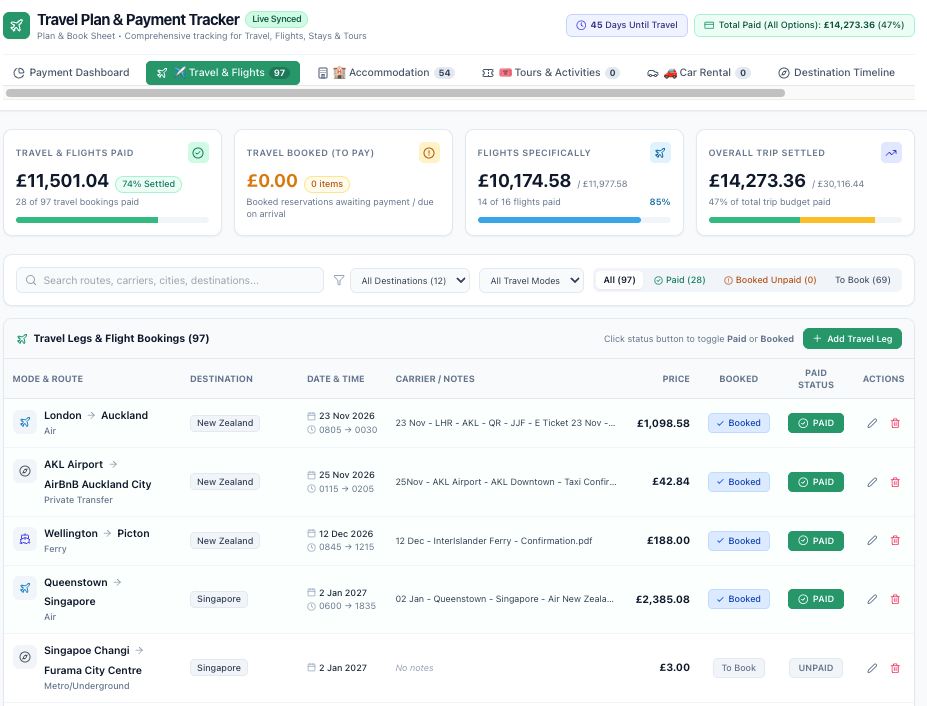
MORE THAN A BASIC TRIP SPREADSHEET
Add destinations and travel dates and keep the shape of your trip clear.
Record transport, accommodation, activities and car hire with dates, times, costs and booking status.
Compare what you planned to spend with what you actually book and pay.
Keep booked, paid and outstanding items together with important payment deadlines.
Build daily spending assumptions into the wider trip budget.
Keep packing, pre-trip jobs and other practical tasks organised too.
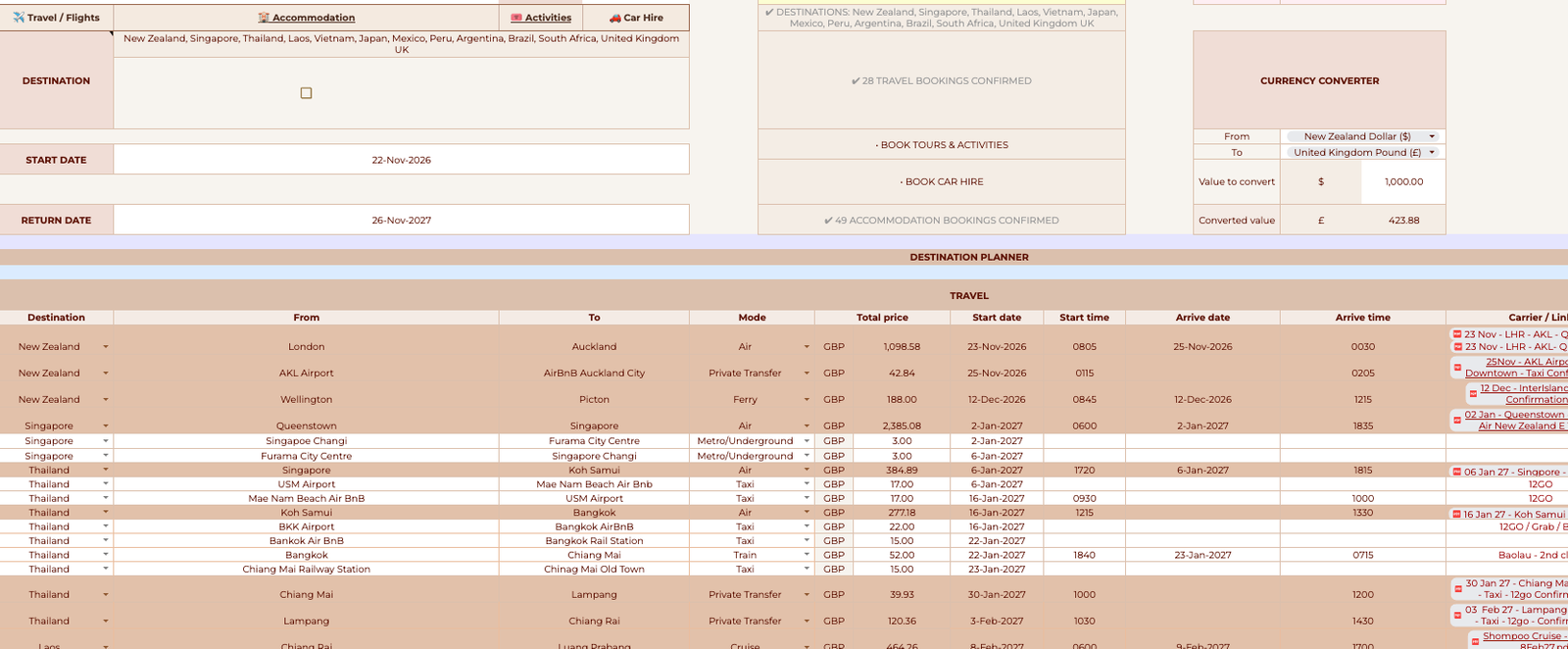
Plan & Book is the main working area for your travel arrangements.
Record flights and other transport, accommodation, activities and car hire alongside destinations, dates, times, costs and booking status.
Your trip information then feeds into other parts of the workbook, reducing the need to type the same information repeatedly.
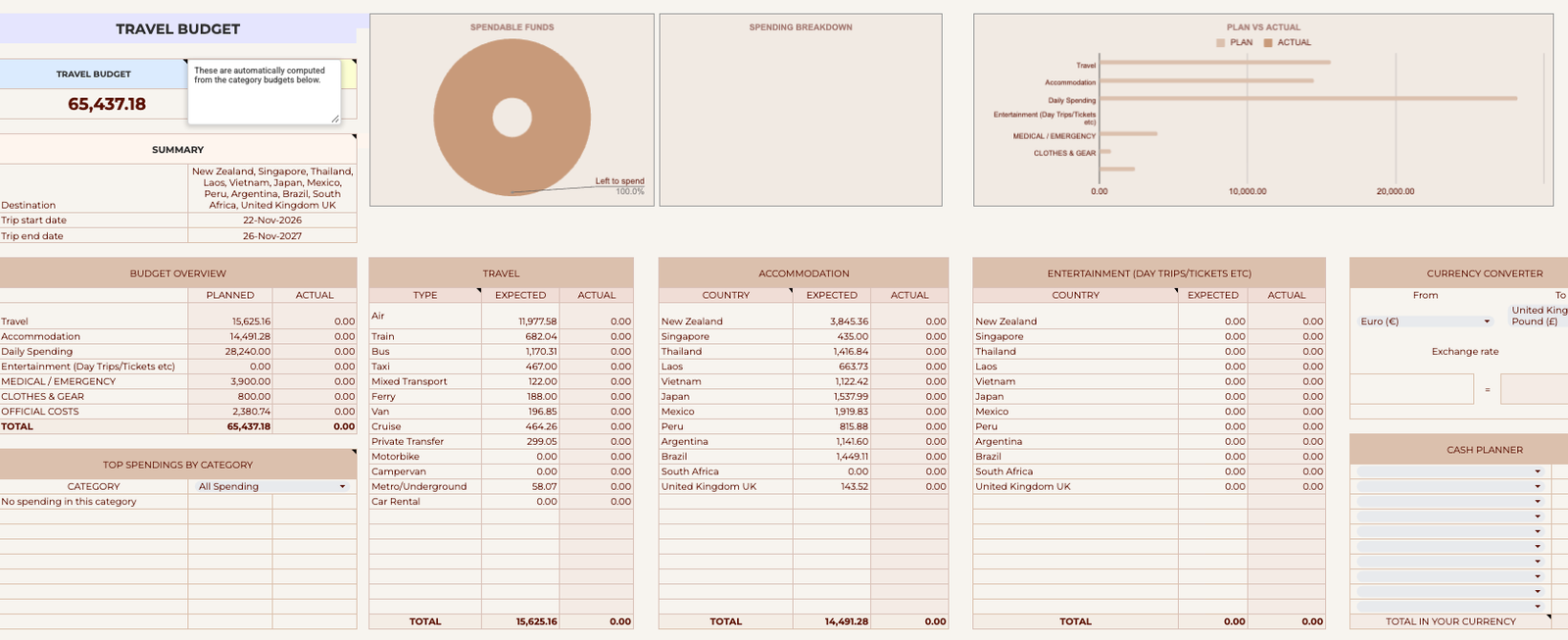
Set the amount you expect the trip to cost, then compare it with what you actually spend as bookings are made.
See travel, accommodation, daily spending and other categories together, with planned versus actual figures and visual spending summaries.
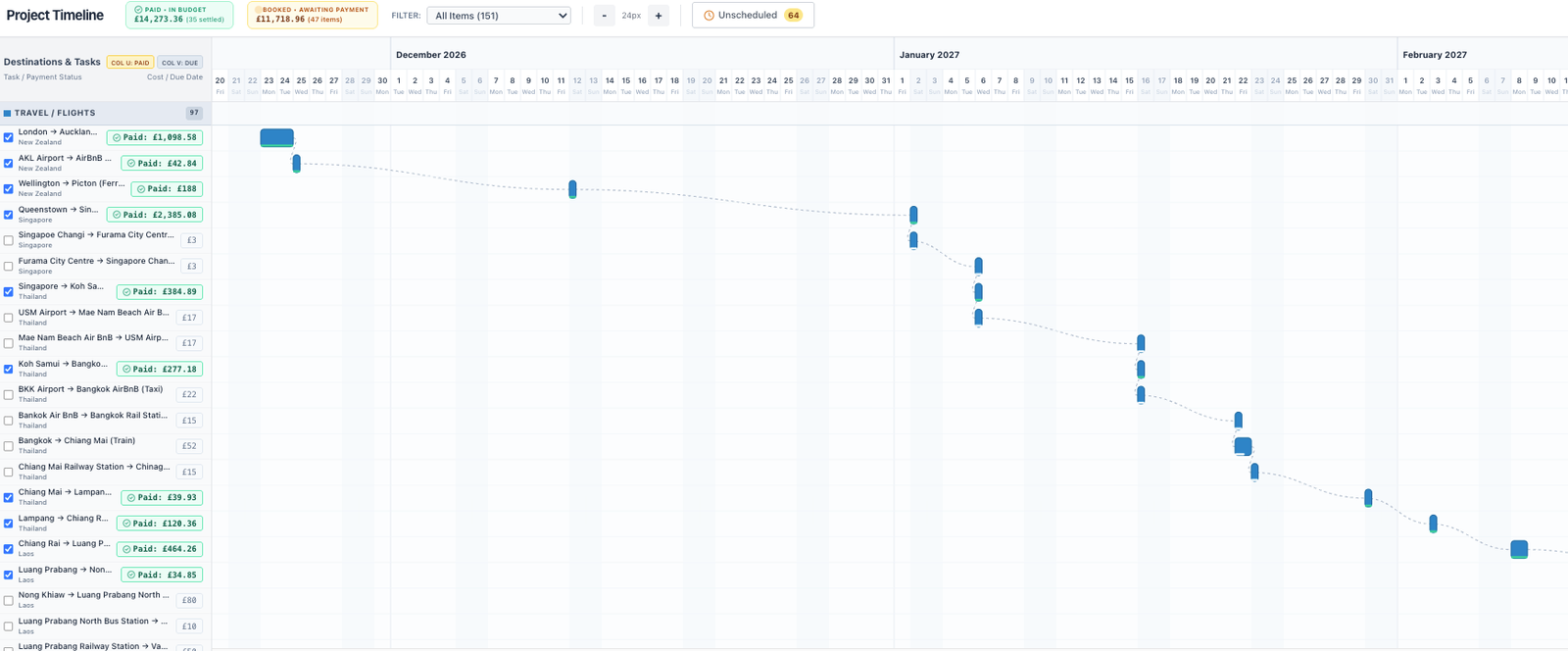
Longer trips can become difficult to understand when everything is just a list of dates.
The visual timeline gives you another way to see how travel and bookings fit across the trip, helping you understand the flow of a multi-stop itinerary at a glance.
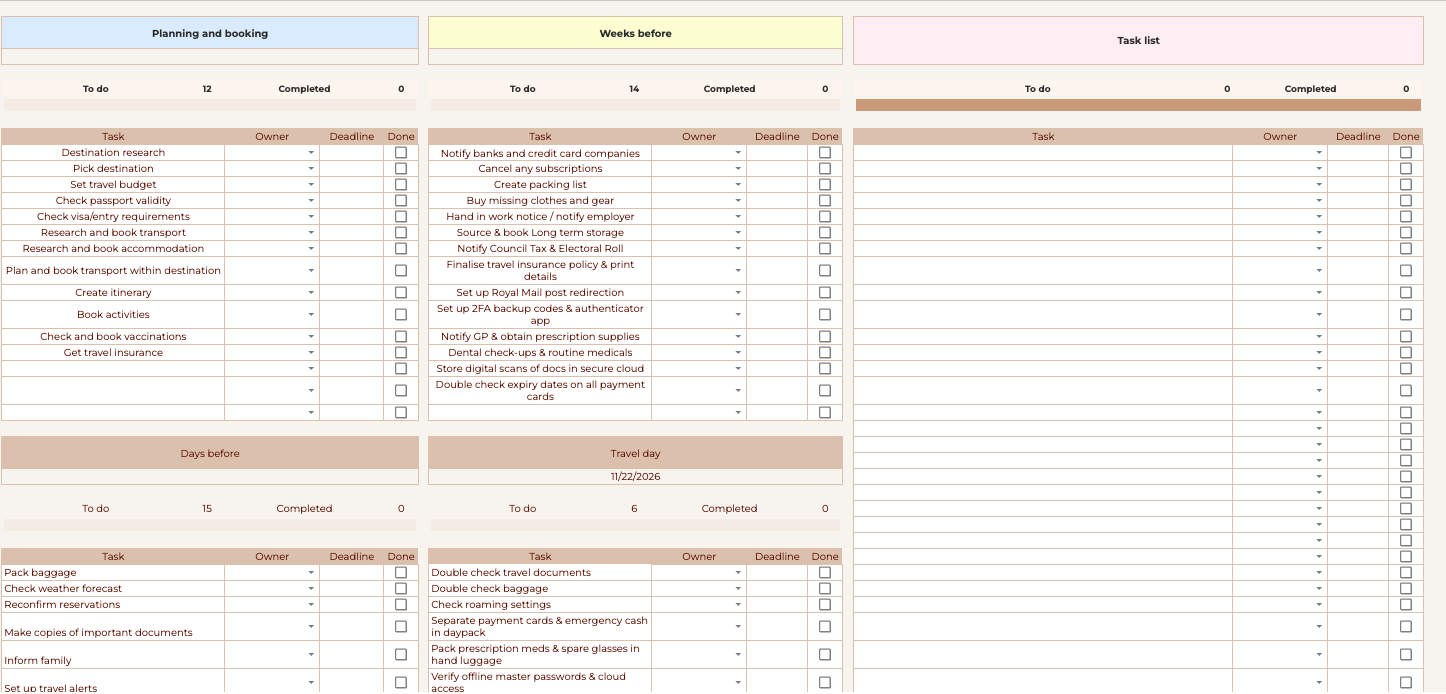
There are always practical jobs to remember before a longer trip.
The workbook includes a structured checklist for planning and booking tasks, jobs to complete in the weeks before departure, final pre-trip actions and travel-day reminders.
Assign tasks, add deadlines and tick them off as they are completed.
Start with your travellers, destinations, dates and main trip information. Those details then feed through the relevant sections of the workbook.
Formulas, dropdowns, checkboxes, calculated totals and visual trackers handle much of the repetitive work in the background.
Because the workbook runs in Google Sheets, you can use it on your computer, tablet or phone.
Make it available offline in the Google Sheets app before travelling and you can still access your itinerary, booking details and lists when you do not have a reliable internet connection.
If you would rather use a dedicated online planning system with connected trip screens, Daily Schedule, Travel Oracle and other online features, take a look at the Extended Travel Planner.
ONE WORKBOOK. ONE PAYMENT.
£9.99
One-time purchase
Create your own Google Sheets copy and use it to plan your trip at your own pace.
£9.99 · One-time purchase
No. The workbook is designed for Google Sheets. You will need a Google account so you can make and use your own copy.
Yes. It is particularly useful for longer or multi-stop trips, but you can use the same workbook for a shorter holiday.
The workbook supports up to four travellers. Leave unused traveller spaces blank if fewer people are travelling.
Yes. Make the workbook available offline in the Google Sheets app before travelling so you can access it when you do not have an internet connection.
No. The Ultimate Travel Workbook is a Google Sheets template that you purchase once and manage yourself. The Extended Travel Planner is a separate online planning product with additional connected and online features.
No. The formulas and automated areas are already built into the workbook. Follow the built-in User Guide and enter information only in the designated input areas.